A journey into deep space sound creativity.

Creativity First
Design and shape sound through experimental effects and customizable parameters.

Modular Freedom
Simplified, ID-based patching keeps your modular system neat and easy to navigate.

Hybrid Synthesis
Classic modular synthesizer architecture, modernized and running in your browser.

Cosmic Sound with Web-Based Modular Synth.
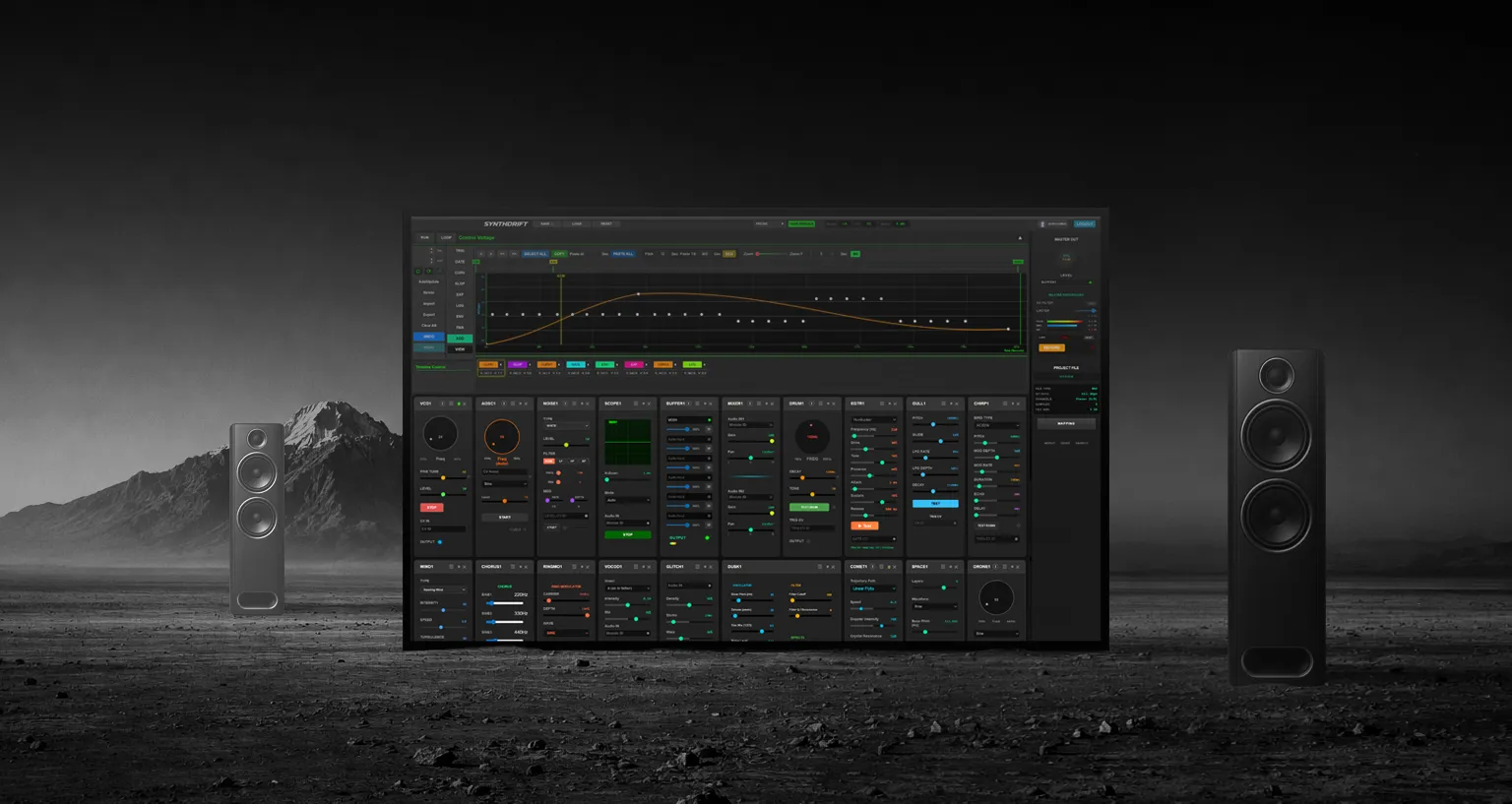
SynthDrift features an extensive collection of meticulously crafted audio modules spanning every category of sound synthesis.


Simple, sleek, module panels with intuitive sliders and knob controls.

ID-based module patching: copy, paste, and connect modules with ease.

Draggable modules that can be placed anywhere in the panel layout.

Control-voltage driven, auto-rotating knobs for dynamic effect control.

Dynamic CV Modulation System.
SynthDrift features a Control Voltage (CV) automation system at the heart of its synthesis engine. This system enables dynamic modulation of modules using triggers, gates, and control curves routed through ID-based patching. The core of the CV system is a graph canvas and timeline, allowing precise and expressive real-time control over sound parameters. It includes features such as CV sequencing, timeline selection, and fine controls for accurate CV positioning and modulation.
CV Graph and Timeline

The CV graph is the core of the SynthDrift engine, acting as the central control system that drives all connected modules. It allows precise adjustment of CV points, curves, and modulation paths for flexible and detailed sound shaping.
8 Types CV Curve

SynthDrift offers multiple modulation curves for expressive control — including EXP for pitch movement, LOG for natural decay, CURV for custom shapes, and TRIG/GATE for rhythm — along with Linear, Stepped, and S-Curve transitions.
CV Sequenser

CV sequencing is a system for creating repeated patterns of control voltages. The sequence can be defined by both pitch and time, allowing rhythmic and melodic modulation over a timeline.
Time Range Selection

Time range selection allows you to render small segments of sound within a larger composition.
How It Works
SynthDrift is a custom-designed, web-based music production tool that delivers a rich spectrum of sound with a lightweight, intuitive, and easy-to-use interface for creating unique tones and textures.

CV Graph

Open the Control Voltage GRAPH by pressing its dropdown selector on strip.
Add Module

Open the module drop-down menu, press +ADD MODULE to place panel onto panel area.
Patching

Right-click the module ID and paste it into another module’s CV or audio input.
Master Out

Connect MIXER or BUFFER module to Master output for final mixed sound.
Run and Loop

Press RUN for single render or LOOP for continuous/repeated rendering of audio.
Record

RECORD button starts and stops stereo WAV recording with filenames generated.
Save & Load

Project saved as JSON format storing all modules, connections, and parameters.
Reset

RESET button clears entire project by removing all modules and connections.
Where Digital Dreams Meet Analog Soul.

SynthDrift is a web-based modular synthesizer that brings creative audio synthesis directly to your browser. No downloads, no installations — just pure creativity at your fingertips. Explore cosmic soundscapes, build intricate patches, and drift through infinite sonic possibilities.
Web Audio API
Sample Rate: 44.1kHz/48kHz
Bit Depth: 32-bit floating-point processing
Latency: Ultra-low
Dynamic Range: Full 24-bit+ dynamic range
Master Output
DC Block Filter — Removes DC offset below 20Hz
Soft Limiter — 1dB threshold
Automatic Gain Compensation
Professional Metering — Peak, RMS, and clip detection
Audio Processing
Module ID-based patching system
Connection LED feedback
Real-time signal monitoring
Zero-latency internal routing
Professional dynamics processing
Recording Sound
Format: Stereo WAV (lossless)
Quality: 16-bit, 44.1kHz.
Channels: Stereo (L/R)
Sample-Accurate Capture
Instant Download
Requirements: Modern web browser with Web Audio API support. JavaScript enabled. Screen resolution: 1440×824 or higher (desktop/laptop optimized). 4GB RAM recommended. Stable internet connection for initial load. Does not support mobile devices. Limitations: SynthDrift is not a professional-grade tool, as its audio engine is web-based and has certain technical limitations. It is intended purely as a creative tool for music exploration and sound creation.
Drifts

